Skip to content
Whistic Compliance

Security risk is daily. 
Compliance can't be point-in time.

Whistic Compliance helps teams define controls, automate tests, and build evidence that shows controls are actually working. Audit-ready proof is the byproduct.

Book a live demo
shape

Most teams can document controls. 
Running them to reduce risk is harder.

Manual evidence, scattered systems, and point-in-time reviews make it hard to see which controls are actually reducing risk.

Compliance 2 1
Manual evidence

Proof gets collected by hand, rebuilt every cycle, and disconnected from the day-to-day work of reducing risk.

Compliance 2 2
Scattered systems

Screenshots, spreadsheets, drives, and tickets do not create a usable record.

Compliance 1 1
Point-in-time review

Periodic checks can show a control exists without showing whether it is still working between audits.

It’s not just about becoming compliant. 
It’s about running controls that actually work.

Audit readiness matters, but it should come from strong control execution, not last-minute evidence collection.

Vs icon
Warning

Traditional compliance

  • Document the control
  • Review it periodically
  • Collect evidence for review
  • Prepare for the audit
Protection

Whistic Compliance

  • Define the control
  • Test that it's working
  • Run checks on a schedule
  • Prove it with evidence over time

Define controls. Run tests. Build evidence. Reduce risk.

Whistic gives teams a repeatable system for turning documented controls into operational proof.

Whistic compliance 1

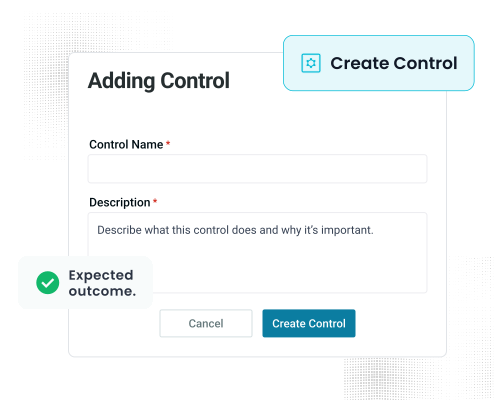
Define controls

Set the control, assign an owner, and define the expected outcome.

Whistic compliance 2

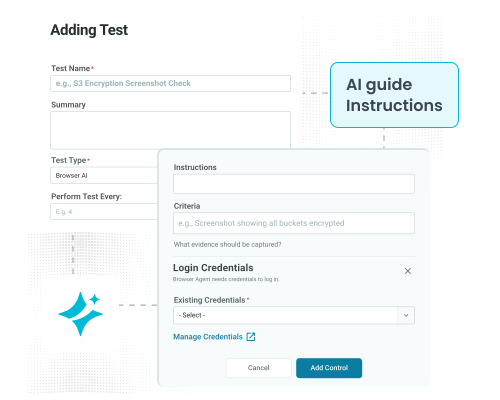
Write tests

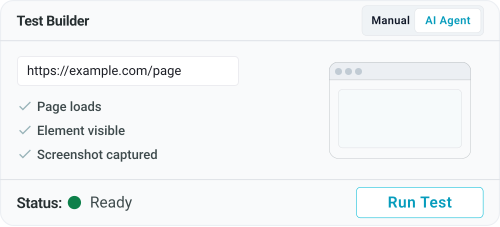
Describe the steps, guide the AI, and define the pass/​fail criteria.

Whistic compliance 3

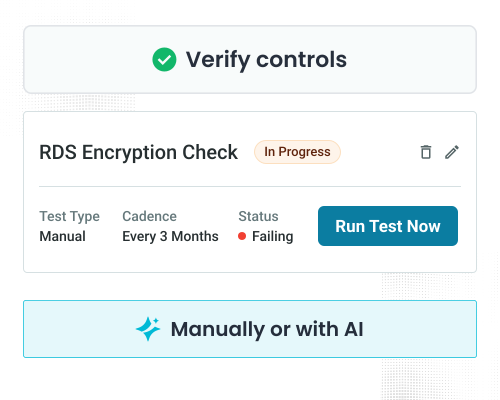
Run tests

Verify controls manually or with Browser AI, depending on the workflow

Whistic compliance 4

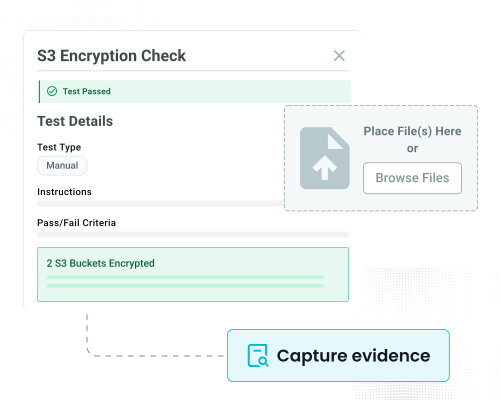
Capture evidence

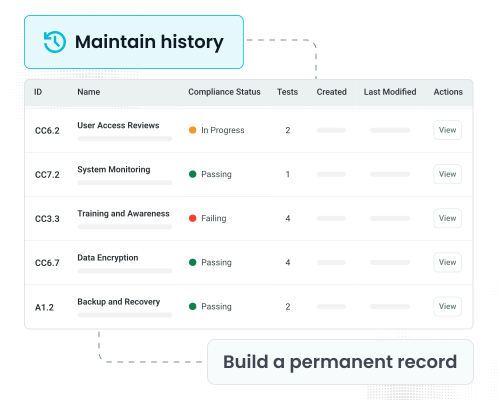
Store timestamped proof and results from every run in one place.

Whistic compliance 5

Maintain history

Build a permanent record that shows control performance over time.

Built for real-world control operations.

Whistic compliance 1

Framework-agnostic

Define the controls your program needs without forcing them into a rigid framework structure from day one.

Whistic compliance 2

One control, multiple test types

Support human review and AI-assisted verification under the same control as your program grows and evolves.

Whistic compliance 3

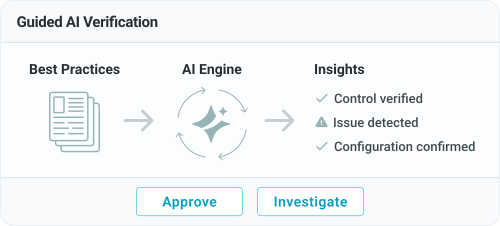
Guided AI verification

Describe the steps, guide the AI, and define what pass or fail looks like before each test runs.

Whistic compliance 4

Manage risk continuously

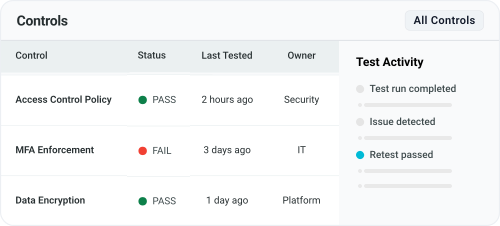
See which controls are holding up, which need attention, and where risk may still be exposed over time.

Whistic compliance

Part of the Whistic platform. Not another disconnected tool.

Most compliance tools create another system to manage, another workflow to maintain, and another place where evidence lives. Whistic Compliance keeps internal controls connected to the broader risk program, so the work you do to reduce risk does not get separated from the trust you share externally.

  • One team, one system
    The same team managing third-party risk can manage internal controls too
  • No new vendor to bolt on
    Extend your existing Whistic program instead of adding another compliance tool
  • From internal controls to external trust
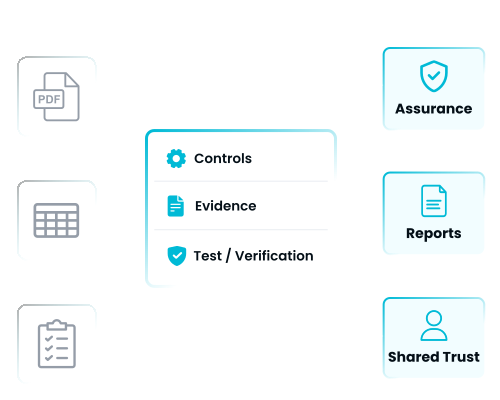
    Connect the controls you run internally to the assurance you share externally.

Built for teams that are tired of the audit scramble.

Best fit for teams managing controls manually, preparing for audits, or trying to prove controls are actually reducing risk.

  1. Managing controls in spreadsheets

    Controls may be documented, but verification is still manual, scattered, and hard to sustain.

  2. Preparing for SOC 2 or ISO 27001

    Frameworks require more than documentation. They require evidence that controls are operating effectively over time.

  3. Scrambling before audits

    If evidence collection starts when the audit starts, the process is already too manual.

  4. Growing beyond manual review cycles

    When teams are re-checking 20 or more controls by hand, every cycle starts to feel unsustainable.

  5. Already using Whistic for TPRM

    The same team managing third-party risk can now manage internal controls in the same platform.

What makes continuous proof possible?

These capabilities turn documented controls into repeatable verification, current evidence, and audit-ready proof.

Shield

Define any control in plain English

No rigid framework required. Add a title, summary, and owner, then build from the controls your team actually needs.

Shield

Write tests against your controls

Use manual steps or Browser AI to verify what matters, with clear instructions and pass/fail criteria.

Shield

Evidence builds on  a schedule

Automate tests to run daily, weekly, or monthly so proof stays current instead of piling up before an audit.

Shield

Every run is permanent

Keep a timestamped, immutable record of results and evidence so teams can see performance over time.

Shield

Credentials stay encrypted

Store credentials securely and keep raw values out of logs and test definitions.

Shield

Self-service from day one

No implementation project. No services engagement. Just a faster way to operationalize controls.

Frequently asked questions

What is a Control?

A control is a security policy or requirement your team enforces — for example, "All production databases must be encrypted at rest." In Whistic, you create a control with a title and summary, assign an owner, and attach tests to verify it.

What is a Control Test?

A test defines how to verify a specific control. You specify instructions, pass/fail criteria, and test type (manual upload or browser agent). Each test run creates a permanent, timestamped record with evidence.

What's the difference between manual and browser agent tests?

Manual tests require a user to follow the steps and upload evidence themselves. Browser Agent tests use AI to navigate to a URL, follow instructions, and capture a screenshot automatically. The user then reviews the result and marks pass or fail.

Can I set a test to run on a schedule?

Yes — you set a recurrence cadence (e.g., every 12 months) when creating the test. The system tracks the next due date. The system tracks the next due dates and controls can be sorted by due date on the controls page.

How is evidence stored?

Every test run creates a permanent, timestamped record with the result, any uploaded files or screenshots, and notes. Full test history is viewable per control at any time.

Can I edit the notes on a test result?

Yes — use the pencil icon on a test result to override or supplement the AI-generated explanation with your own notes.

Can I export my controls and test history?

Yes — use the Actions dropdown to export controls and test history.

How are stored credentials secured?

Credentials are encrypted at rest using the same standards Whistic uses for all sensitive data. They are scoped to specific domains and subdomains — they cannot be passed to sites outside that scope. Raw credential values are never exposed in logs, test definitions, or exports.

Does the browser agent support MFA?

We currently support username/password login only. Sites requiring multi-factor authentication cannot be automated at this point.

Can I connect this to my password manager?

Password manager integration is not supported at launch and may be considered for a future release.

What happens if the browser agent can't find what I'm looking for?

The agent is best-effort. If it cannot navigate to the right place or the screenshot does not meet your criteria, mark the test as fail and add a note. You may need to update the instructions or URL.

What happens if the target website changes or goes down?

The scheduled test will run and log a failure. That failure is your signal to review and update the URL or instructions.

Is this for SOC 2 specifically?

It can be used to track controls relevant to any framework — SOC 2, ISO 27001, HIPAA, etc. V1 is a starting point for building and verifying your controls library. Framework auto-mapping (e.g., automatically linking controls to SOC 2 criteria) is planned for V2.

If I archive a control what happens to the test and history?

If controls are deleted, tests and history associated with them will be deleted.

Run Controls That Work. Build Proof That Lasts.

See how Whistic Compliance helps teams define controls, run tests, and build evidence that stays current over time. Audit-ready proof is the result of better control execution. 

Certifications and Security Partnerships

Iso 27001 Iso 42001 Nist Gdpr compliant Shared assessments Aicpa soc2 Start level one Tx ramp